

Jobs and coding agents
Schedules, webhooks and alerts start jobs. Steps call APIs, run commands, or hand a task to a coding agent (Claude Code or Omnimancer) that works in a sandbox, runs your checks and opens a pull request.


Hand Routini the routine: jobs, fleet commands, coding agents and incident runbooks. It does the work and asks before anything that matters.
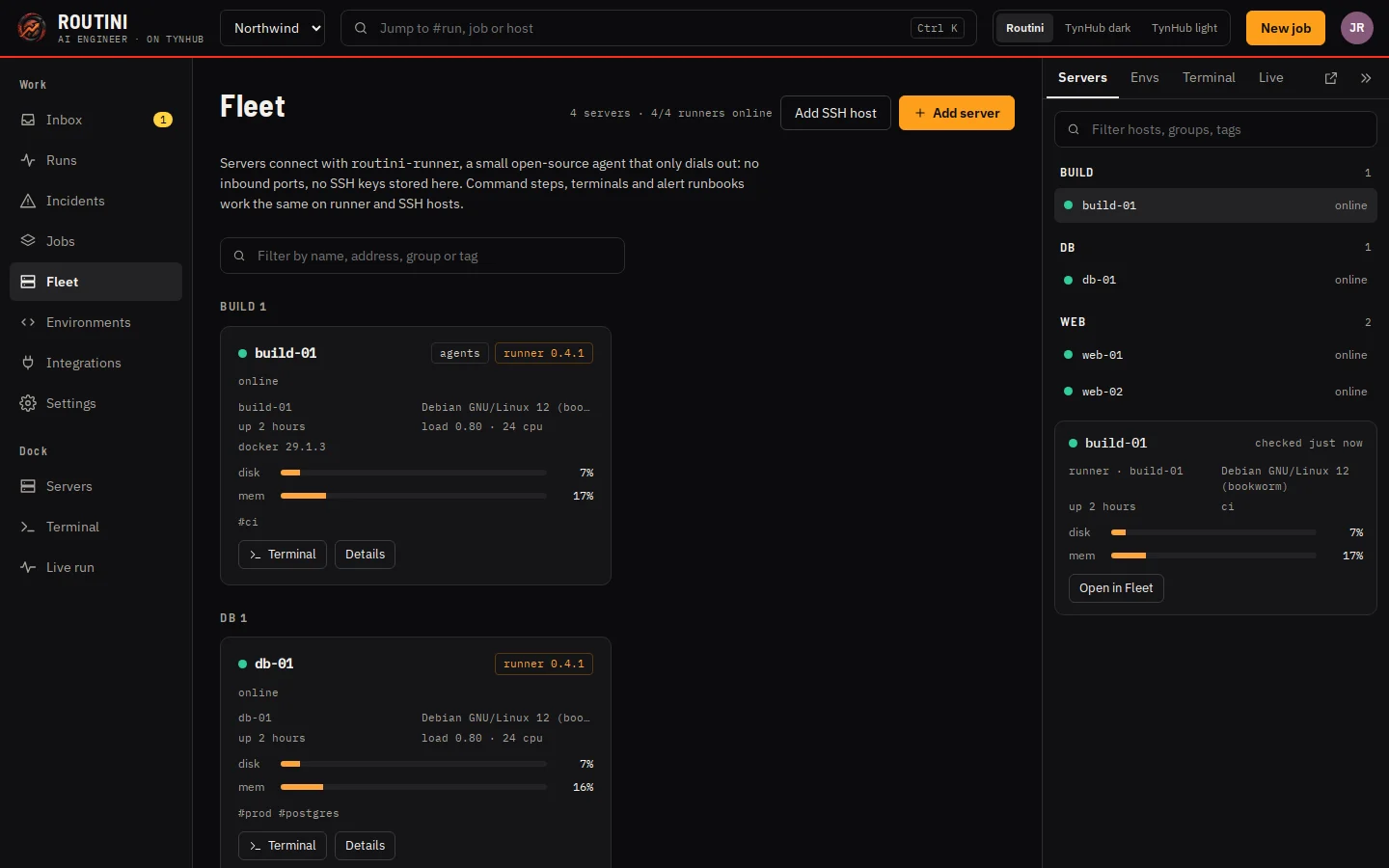
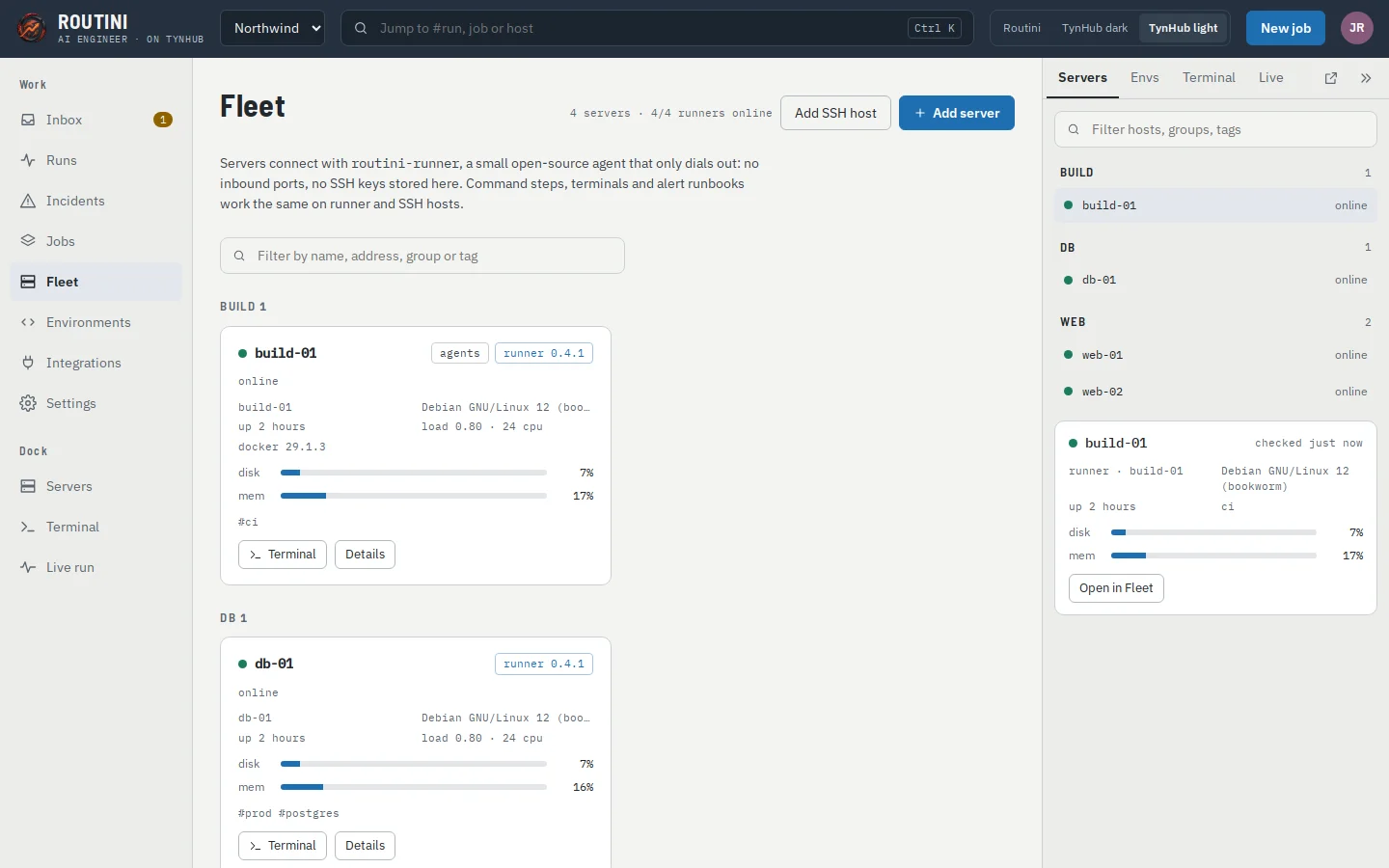
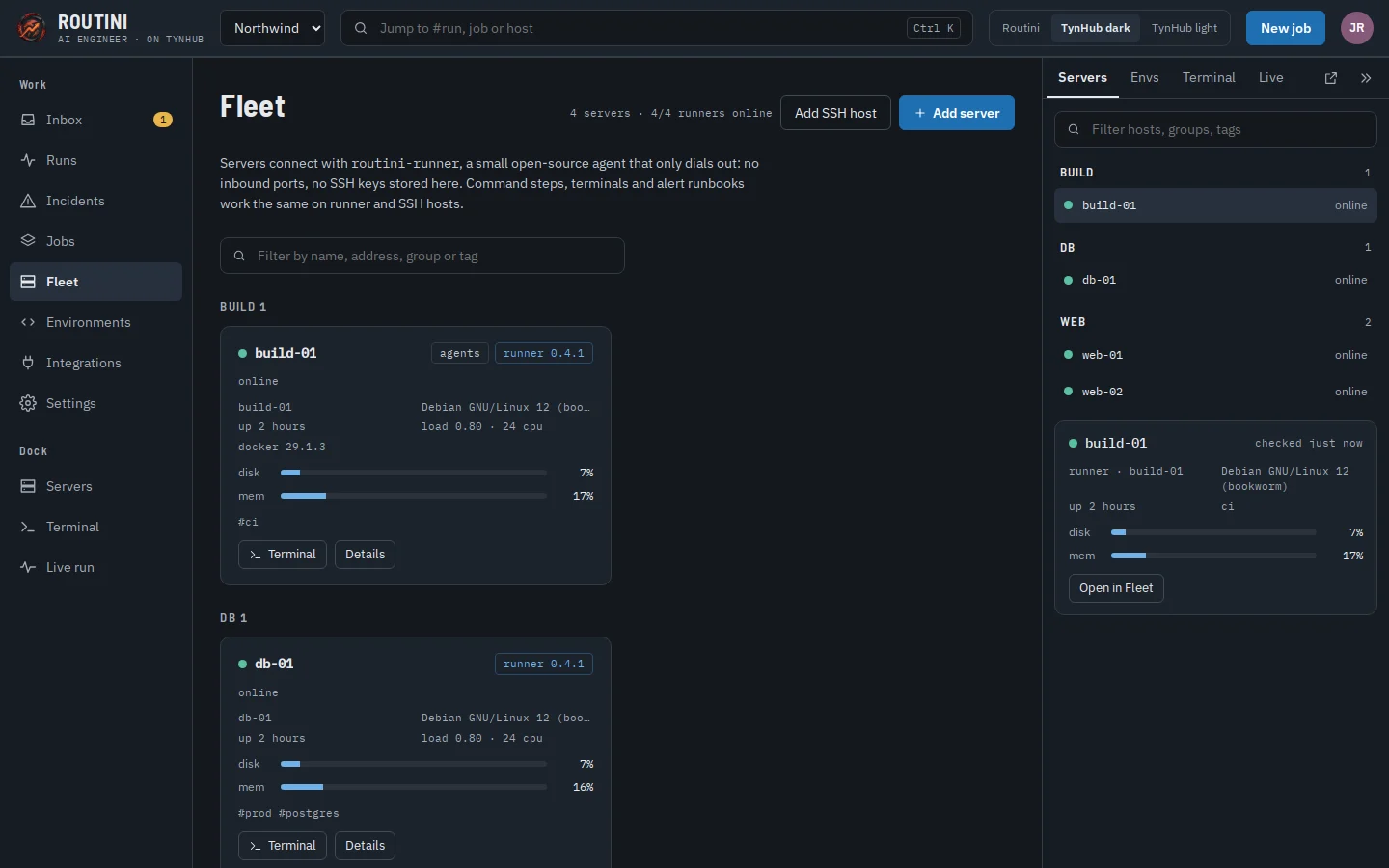
Give the server a name, group and tags, and run the install command it gives you on the server. routini-runner dials out to Routini over HTTPS, so there are no inbound ports and no SSH keys to hand over. Each server shows up with live disk, memory and load.
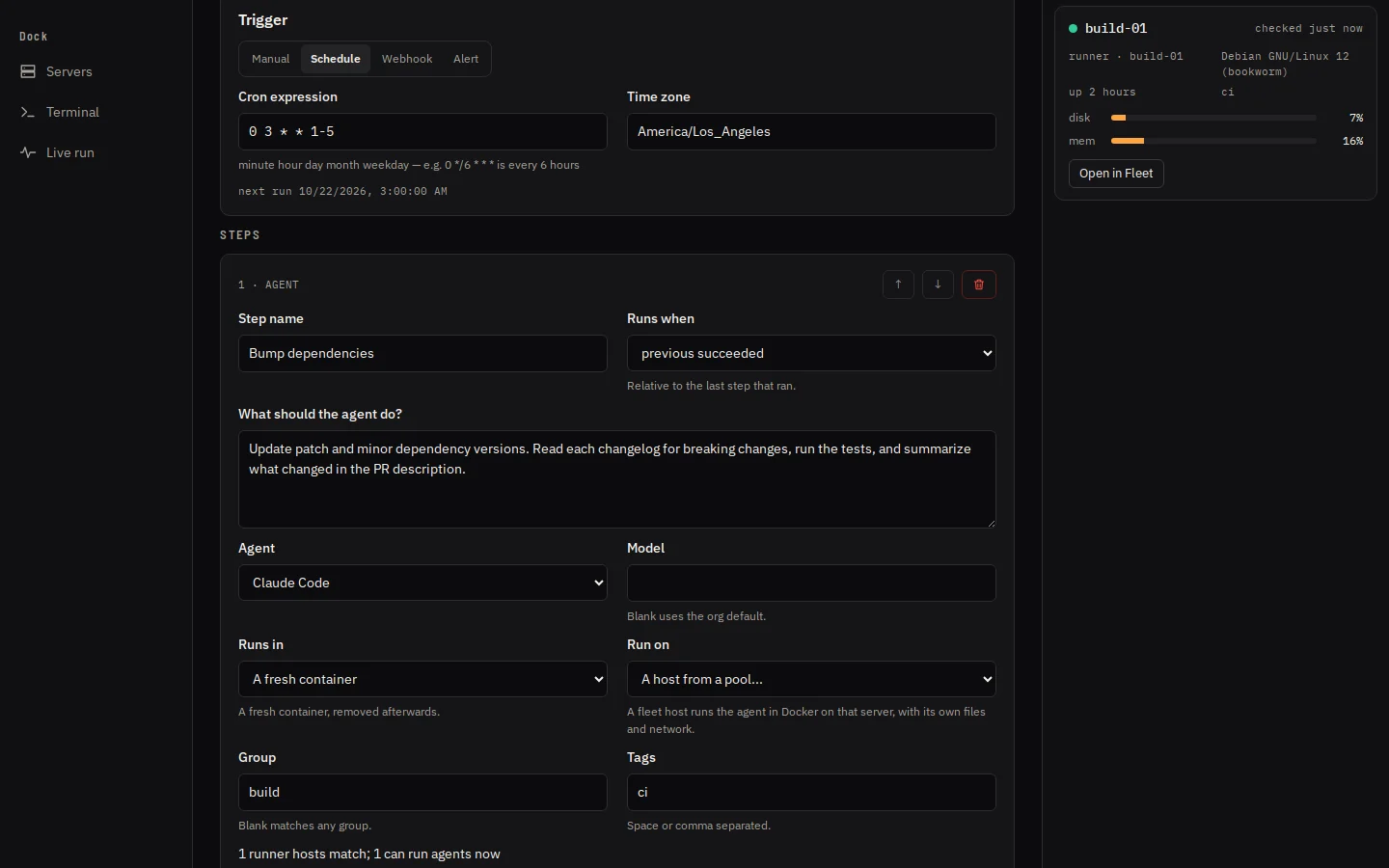
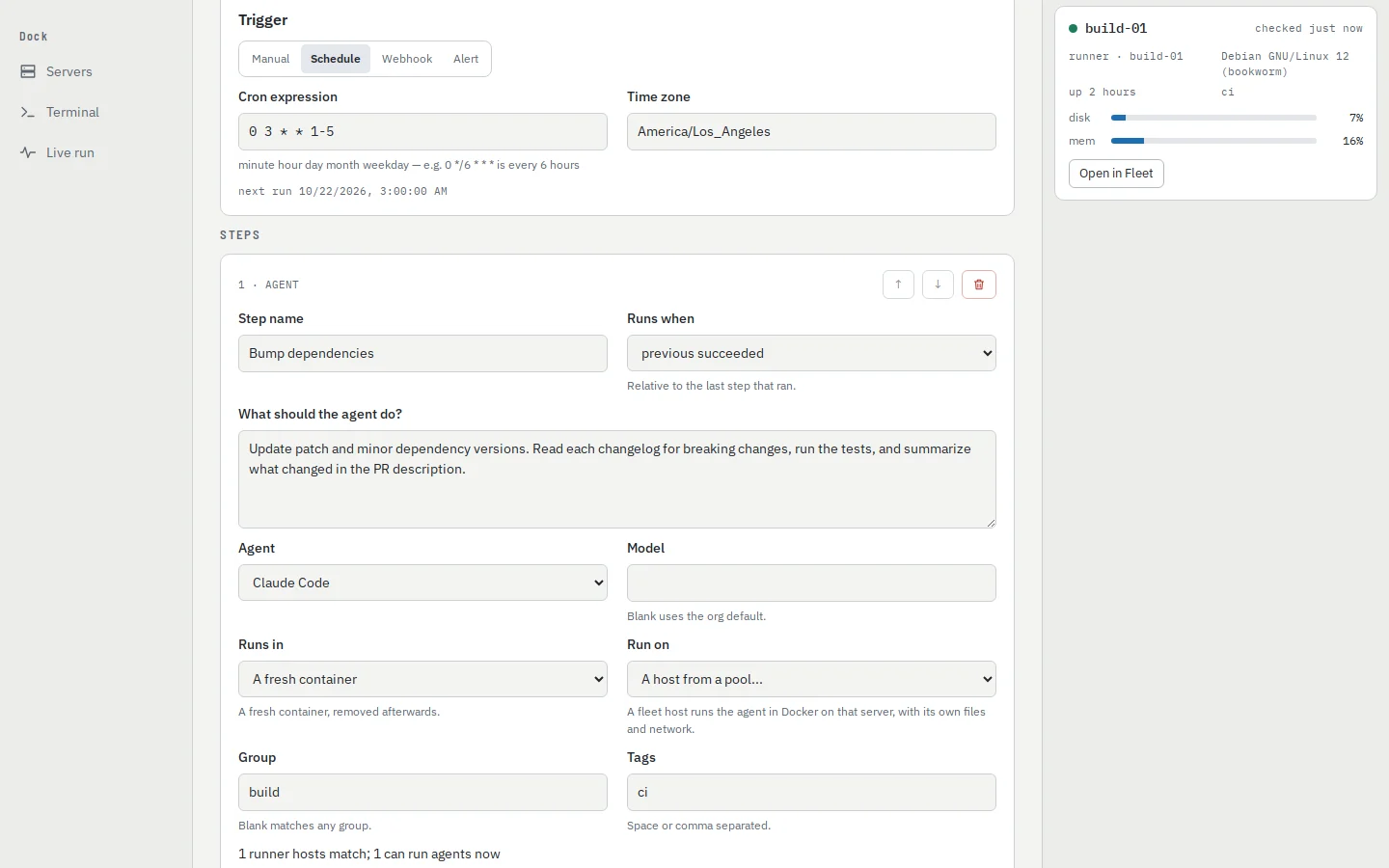
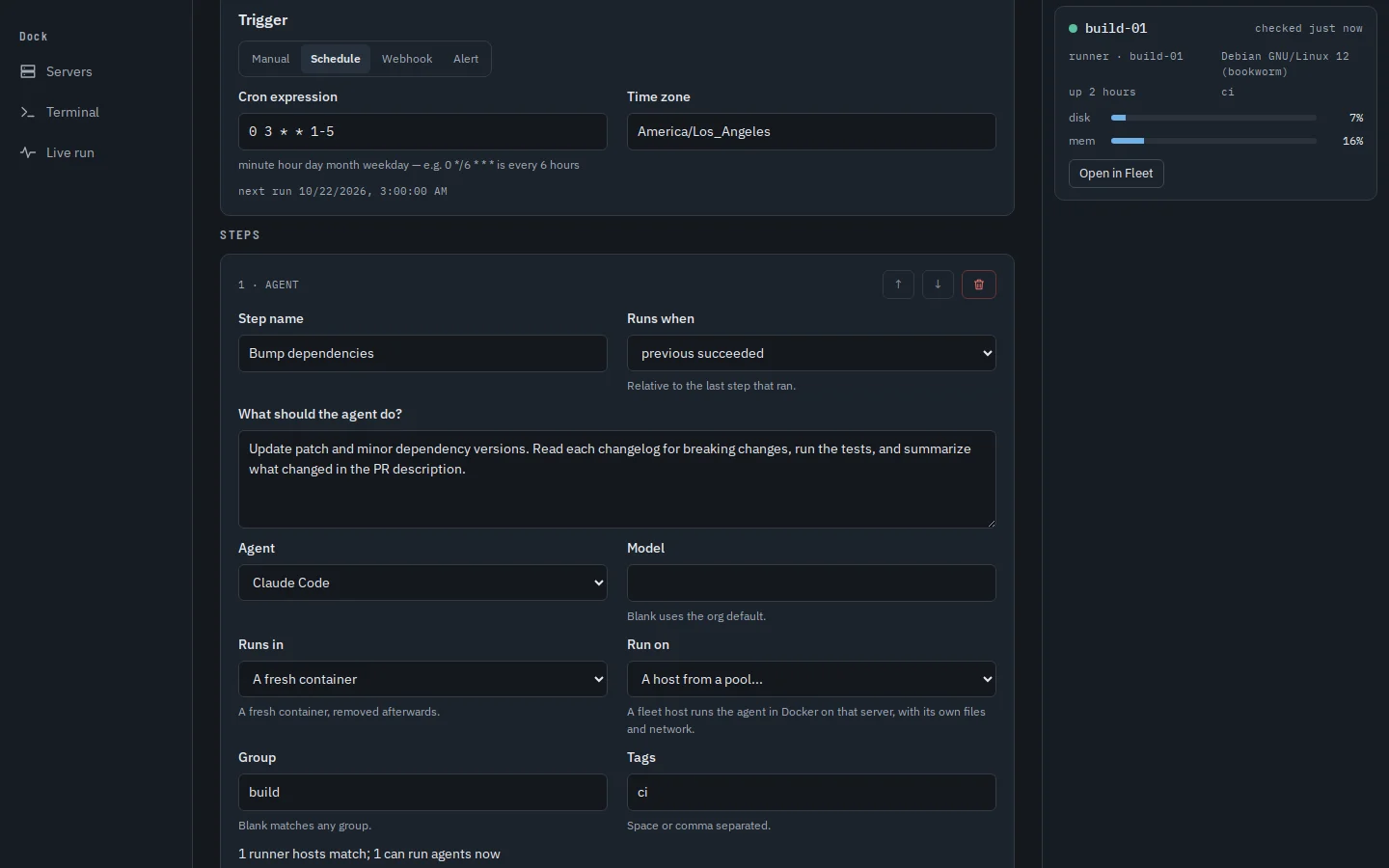
A job is a trigger and its steps. Here a coding agent bumps the storefront’s dependencies every weekday at 3 a.m. Pacific, runs npm test, and opens a pull request. Its Run on is a pool, so it runs on whichever build server is least busy, and the editor checks that one can take it. Press Run now on any job and watch the output stream in.
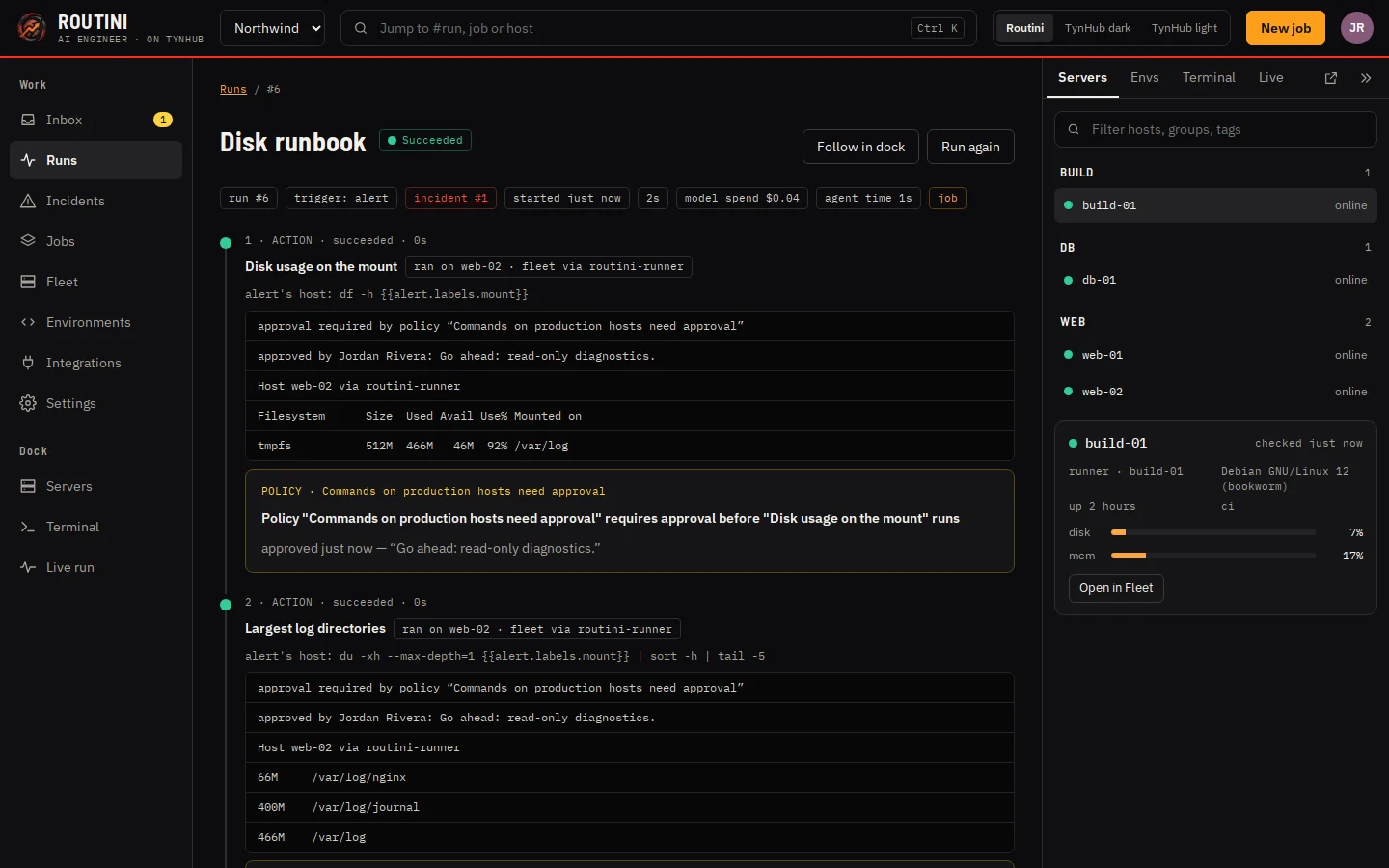
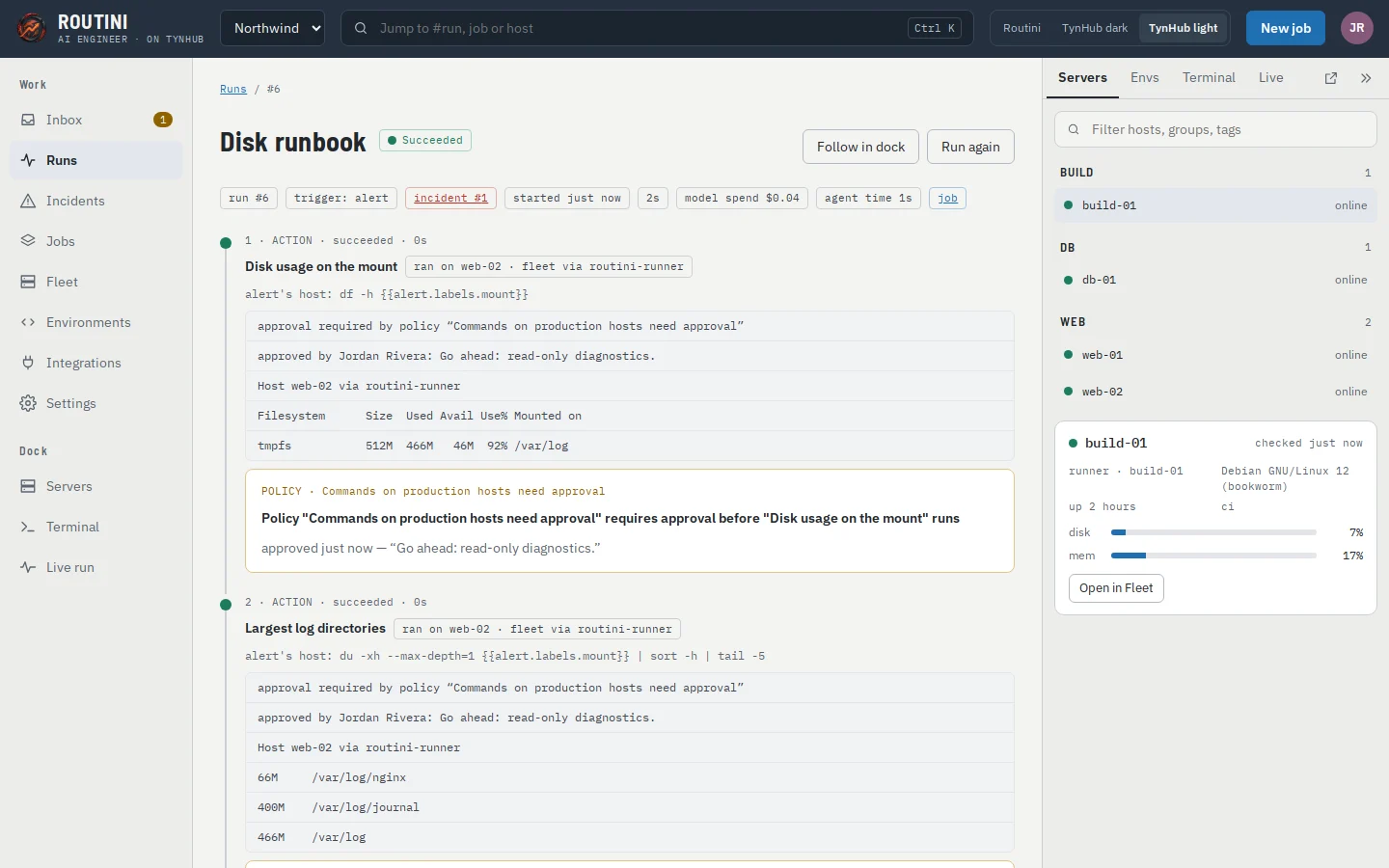
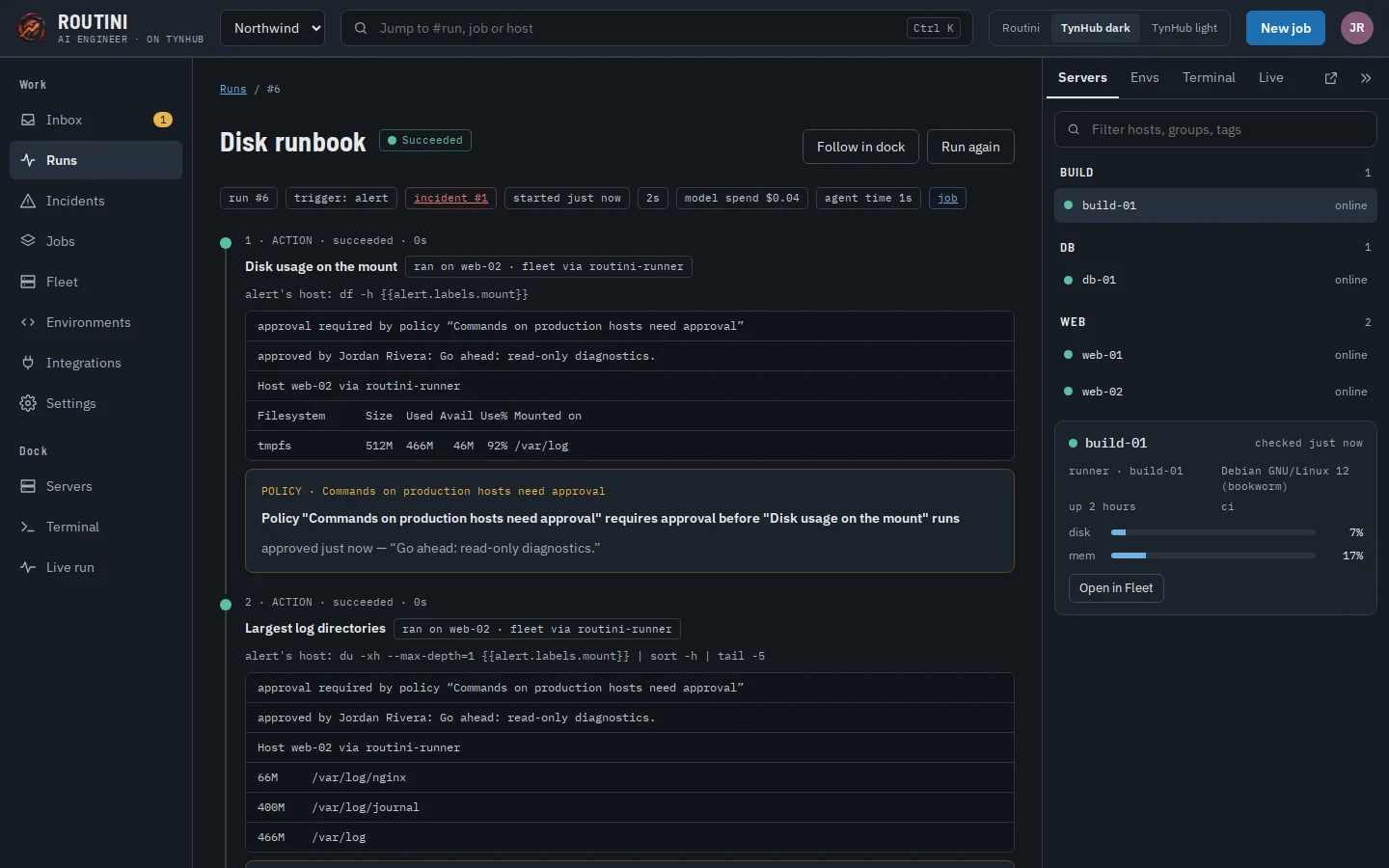
Every run has a live timeline: which policy asked for approval and who gave it, the command’s output as it streams, and where each step ran, on one of your servers or in Routini’s sandbox. This run is a disk runbook an alert started on web-02.
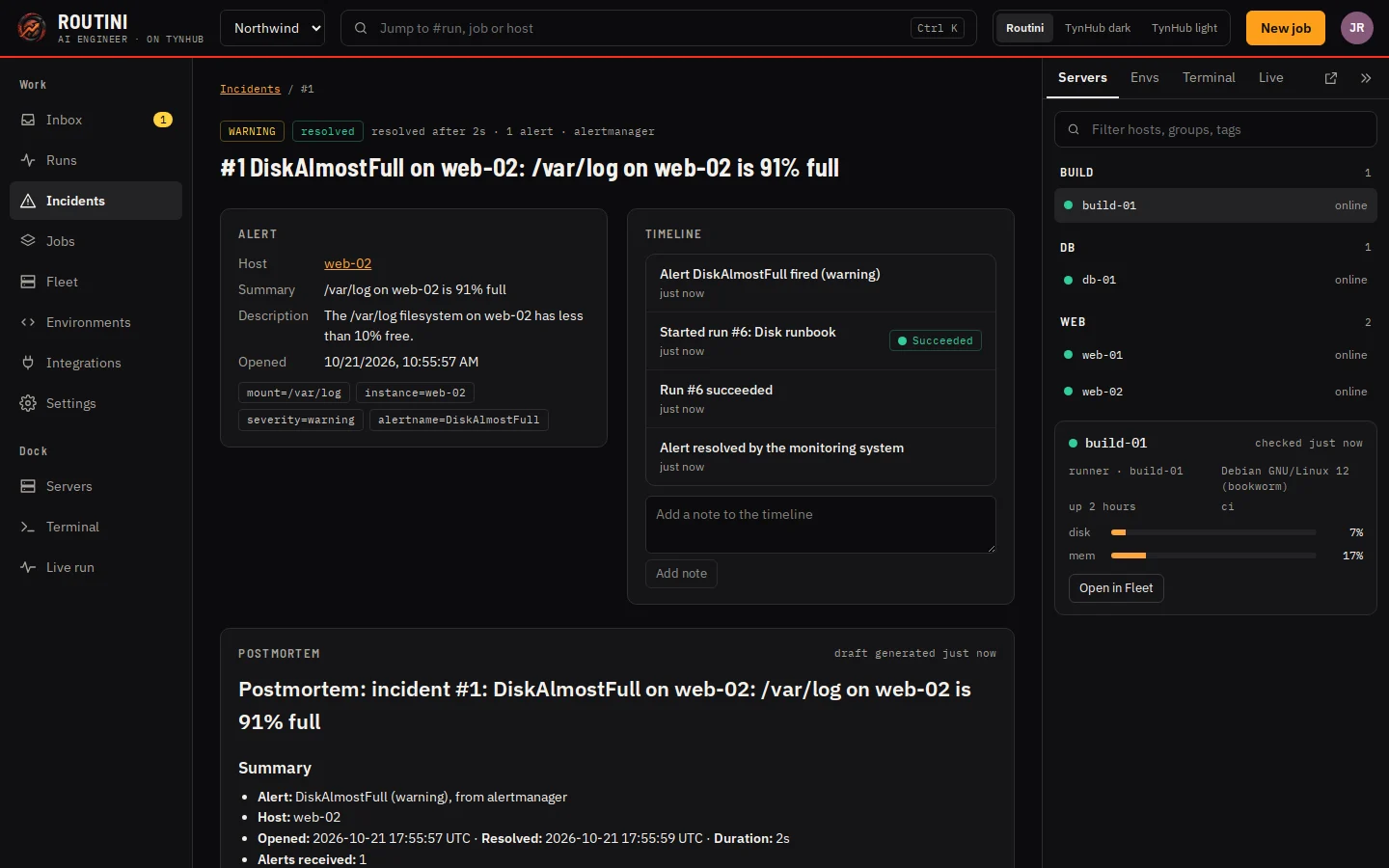
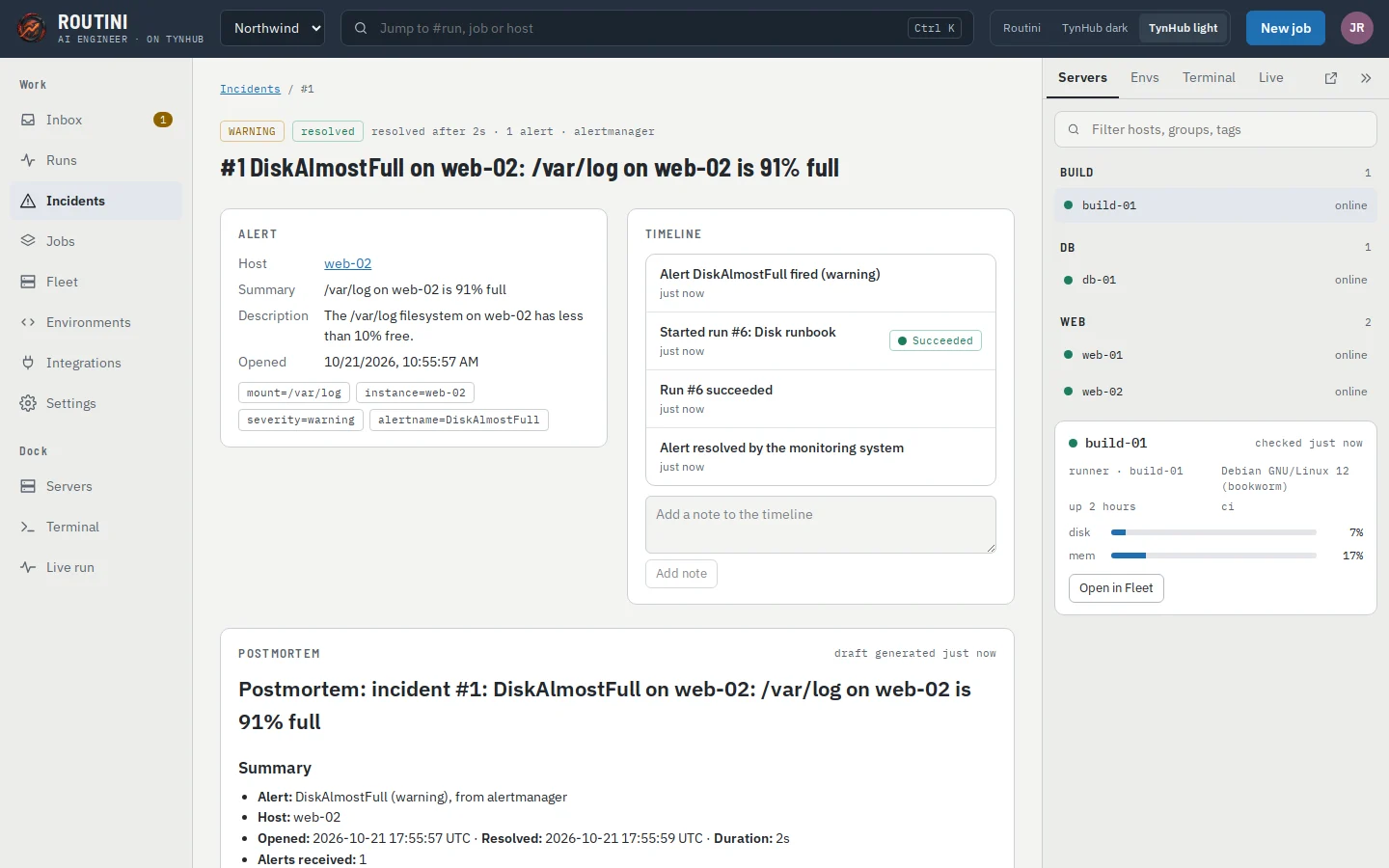
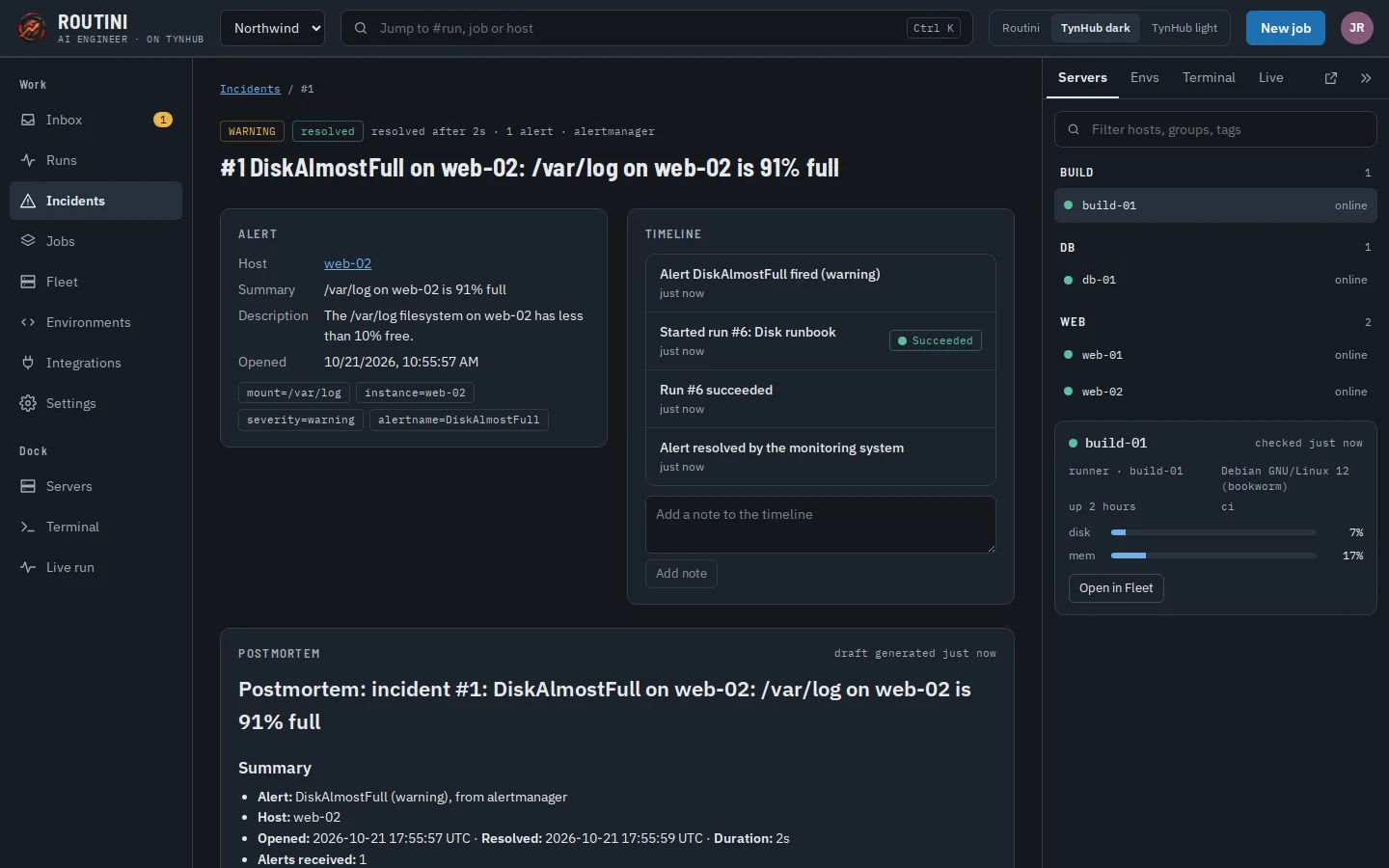
Create a token under Settings → Alerts and point Alertmanager, Grafana or any webhook at the URL shown there. A firing alert opens an incident; give a job an Alert trigger and it runs on the server the alert names. Use the alert’s values, and earlier steps’ output, in commands and prompts:
Every team has a list of work nobody should do by hand anymore: the nightly checks, the dependency bumps, the disk that fills up at 3 a.m., the runbook everyone half remembers. Routini is the engineer who takes that list, and calls you only when it should.
It works where you work. Jobs start on a schedule, from a webhook, or when an alert fires. Each step is a check, a command on one of your servers, a query of your Azure Boards backlog, a message to Teams, or a coding agent that clones your repository, makes the change, runs your tests and opens a pull request for review.
It reaches your servers without opening them. The routini-runner agent connects out to Routini, so you never expose SSH or hand over keys. You see each server’s health live, open an audited terminal, and point runbooks at whichever host an alert names. Let the runner host agents too, and the work runs on your own hardware, with the keys kept on that host.
It knows when to stop and ask. Your org policy decides which steps need a person to approve them. Agents run in sandboxes behind a credential broker, so real keys never reach them. And nothing in Routini can approve its own work.
It’s yours. Routini is open source. Run it on your own machine in one command, or use it hosted on TynHub. Connect it to Claude Code and ask it about your systems in plain language.
On any machine with Docker. This brings up Routini and a connected runner, then prints your login.
git clone https://github.com/nvasion/routini.git && cd routini
make local          # → http://localhost:8088
For a server, copy .env.example to .env, set the three secrets, then make agents && docker compose up --build -d.
Schedules, webhooks and alerts start jobs. Steps call APIs, run commands, or hand a task to a coding agent (Claude Code or Omnimancer) that works in a sandbox, runs your checks and opens a pull request.
Run agent steps and persistent environments on your own hosts instead of Routini’s: pick a server, the alert’s host, or a pool by group and tags. Keys stay in a broker on that host, and your own compute never counts against your plan.
Connect servers with routini-runner, a small open-source agent that only dials out: no inbound ports, no SSH keys stored in Routini. Live health, audited terminals, commands from jobs, and runner updates from the console.
Alertmanager, Grafana or any webhook opens an incident and runs the matching runbook on the affected server. When it resolves, Routini drafts the postmortem from what actually happened.
GitHub, GitLab, Azure DevOps, Jira, Linear, Slack, Teams, Sentry, PagerDuty, Datadog, Cloudflare, DigitalOcean and Factory. Query an Azure Boards backlog or post to a Teams channel as a step, and choose which agents may use each one.
Org policy decides what needs a person to approve it. Agents work behind a credential broker that keeps real keys out of their sandbox and refuses hosts off your allow-list, and the run says which ones it refused. Nothing approves itself.
Connect Claude Code or any MCP client with an API token. Ask what failed overnight, start a job, run a command on a server, all under the same policy.
AGPL-3.0, with the runner under Apache-2.0. Use the hosted version on TynHub, or run the whole thing on your own machine with Docker Compose.
Running it yourself is free: it is open source. Hosted Routini is free during the alpha, with limits on Routini’s own compute (2 runs at a time, 1 running environment, 120 agent minutes a day). Agents and environments on your own servers are not counted. You bring your own model keys, so model spend goes to your own provider account.
No. routini-runner only dials out to Routini over HTTPS, so there are no inbound ports, and Routini never stores SSH keys for runner servers. SSH hosts are supported too, if you prefer them.
Yes. Install the runner with --enable-agents on a host with Docker, then choose that host, the alert’s host, or a pool in the step’s “Run on”. The runner starts a local credential broker next to the agent, so keys never enter its container and your allow-list still applies.
Only if your policy allows it. Rules can require a person to approve commands on servers tagged prod, branch pushes and more. Agents and MCP clients cannot approve anything, including their own work.
Claude Code and Omnimancer run agent steps, with your own key. Claude Code works with Anthropic, OpenRouter and AWS Bedrock; Omnimancer adds OpenAI, Google, Azure and DigitalOcean.
In your Postgres when you self-host. On the hosted version, each org’s rows are kept apart by row-level security. Secrets are encrypted at rest, scoped to their org, and never shown again after you save them.
Yes: they are the console itself, with a demo org. Each server is a real routini-runner (running in a container), and the runs really ran, under the same default policy you get. Only the agent’s reply is a recorded one, so making them costs no model spend.